I work in project operations and build tools that help teams get things done.
Project coordination has given me a close look at the work behind the work: maintaining trackers, preparing reports and following up on missing information. I started building tools to make those tasks easier.
Since then, I’ve built reporting automations used across PM teams, connected workflows across Microsoft tools, and developed dashboards and independent applications. I enjoy figuring out how a process works, building something useful, and refining it based on real-world feedback.
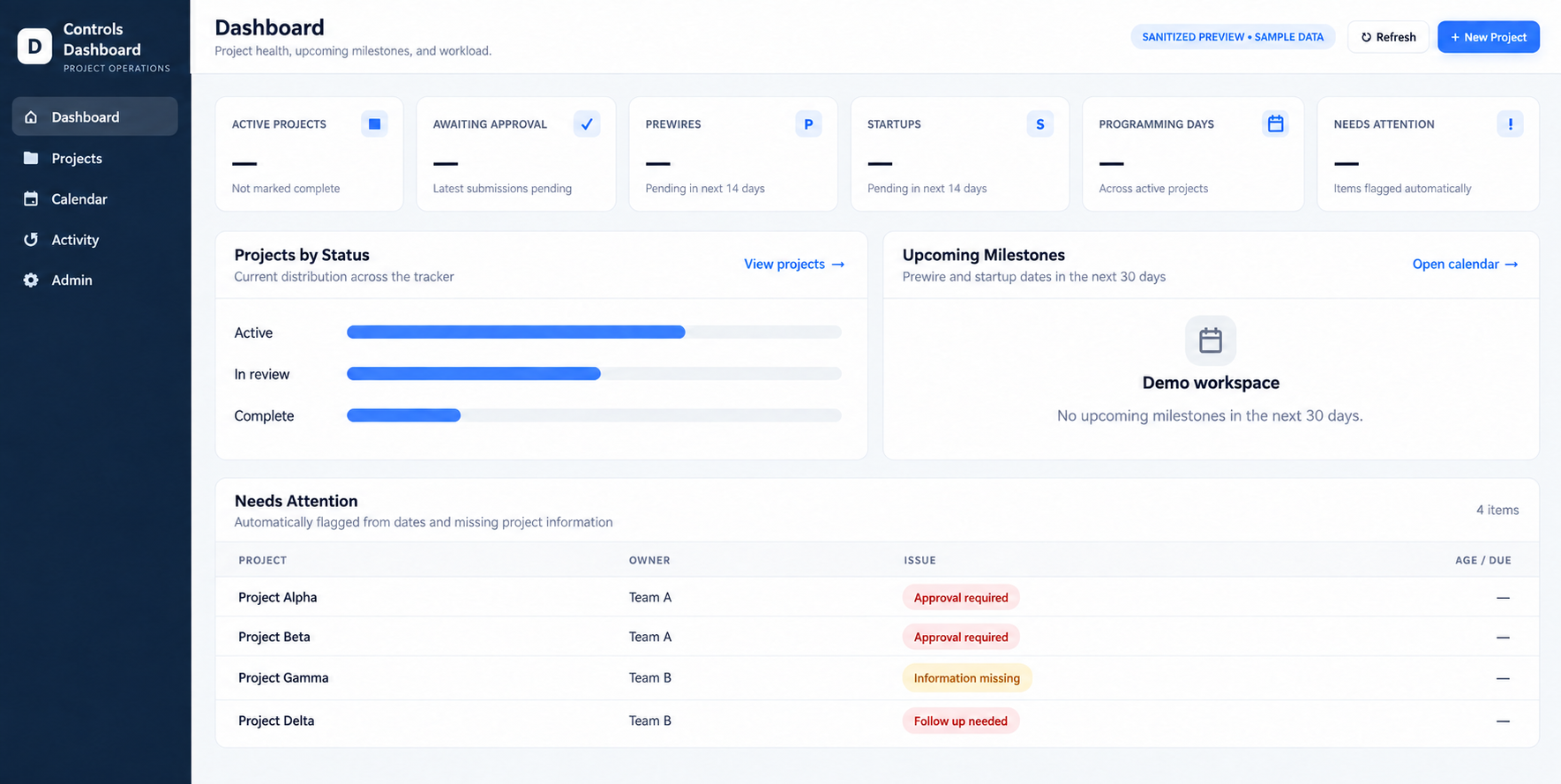
Project tracking, updates and follow-up in one dashboard.
Dashboard preview edited for confidentiality, with fictional data. Select to enlarge.
Problem
An Excel tracker held project information, but keeping records current, finding the right view and coordinating follow-up created manual work.
What I built
A project portfolio dashboard designed to augment or replace the tracker, bringing inline editing, filtering and connections to workflow and email automation into one working surface.
A unified approach to maintaining project information and acting on it—connecting visibility with the next operational step.
02
Repeatable processes · Team enablement
Workflow & Reporting Automation
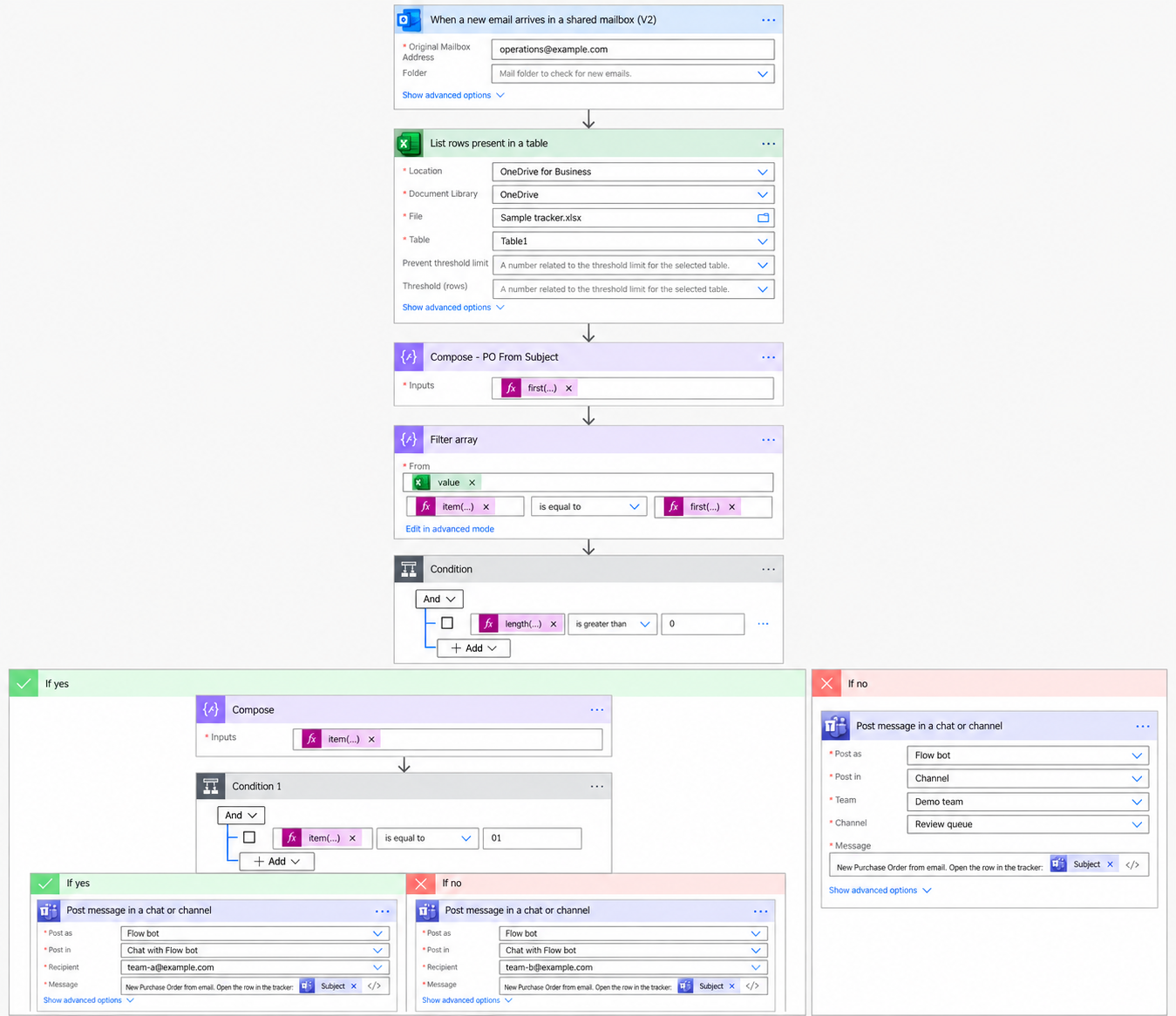
Reporting, document generation and communication workflows.
Workflow preview edited for confidentiality. Identifying details replaced with sample values; formulas shown as collapsed chips. Select to enlarge.
Problem
Recurring reports, document generation and communication handoffs required repeated manual steps across familiar workplace tools.
What I built
Excel VBA reporting adopted across project management teams; Power Automate workflows connecting SharePoint and OneDrive; PowerApps and Flow PDF generation; and Teams and shared-inbox automations.
Tools / methods
Excel VBA · Power Automate · SharePoint · OneDrive · PowerApps · Teams. Reusable templates, workflow mapping and connected handoffs.
Impact / outcome
Reporting tools extended beyond my own work to other PM teams. The broader collection makes repeatable reporting, document and communication tasks easier to run consistently.
03
Document intelligence · Review workflows
FixtureCheck
Compare submittal documents and review potential discrepancies.
● ● ●FixtureCheck · Sample review
FixtureCheck / Review excerptFictional example
Review required
F-01 · Confirm selected driver voltage
Sample specification · page 4
Required supply: 277 V
Sample submittal · page 2
Selected driver: 120 V
The selected driver does not match the specified supply. Check the source documents and confirm the driver selection before approval.
Illustrative finding with fictional document references; shown to explain the review process.
Problem
Reviewing lighting submittals meant cross-checking details across fixture documents, controls schedules and specifications—a fragmented document-review process.
What I built
A browser-based, AI-assisted review tool that compares these sources, extracts selected driver and voltage information, and surfaces discrepancies with supporting evidence.
Tools / methods
AI-assisted extraction, document comparison, evidence-linked findings and browser-based review. Human judgment remains part of the review process.
Impact / outcome
A more structured way to identify potential mismatches and inspect their source evidence, turning scattered document details into actionable review findings.
04
Product ownership · Systems integration
Tuned In
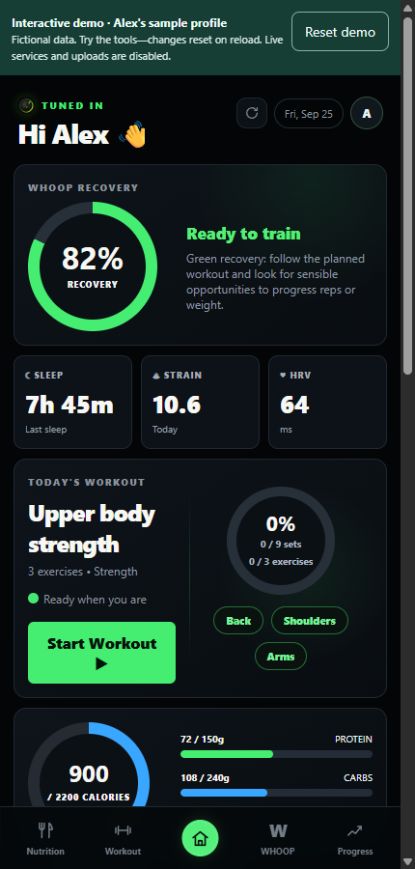
A fitness app bringing workouts, nutrition and progress together.
Explore the app
Open a sample profile and try the workout, nutrition and progress tools.
No signup. Fictional data. Changes reset on reload.
Home screen · sample profile
Problem
Fitness routines span multiple sources and activities: workouts, nutrition, connected devices and personal plans. Bringing those pieces together requires both integration and a coherent experience.
What I built
A multi-user fitness app with authentication, Whoop integration, an Apple Health and scale workflow, nutrition and barcode scanning, workout tracking, onboarding and personalized plans.
Tools / methods
AI-assisted development, authentication, connected data workflows, integration design, onboarding and iterative UX improvements.
Impact / outcome
Building the app has involved deciding what to prioritize, connecting services, and refining onboarding and daily workflows as the product develops.
Project descriptions are intentionally sanitized. No employer or client records, internal links, or personal health data are included.
Tools I use
Microsoft Office Products
Power Automate
Monday.com
PlanGrid
Procore
Smartsheet
Bluebeam
Let’s connect
Get in touch
For opportunities in operations, internal tools or process improvement, you can reach me by email or on LinkedIn.